
Event App Social WallYour event's live attendee feed
Give your attendees a place inside the event app to share the moments that matter: photos, posts and reactions.
Associations · Medical Congresses · Corporate Events · Incentive Travel · PCOs & Agencies · MICE
What is anevent app social wall?
Great event moments usually disappear into attendees' phone galleries. The Social Wall gives them a shared feed inside your event app: attendees post photos and updates, react and comment, and the organiser moderates what is visible in the app from the CMS.
Organisers define, from the CMS, what is visible in the app and who can see it.
How theSocial Wall works
From an attendee's photo gallery to a shared event moment - in three steps.
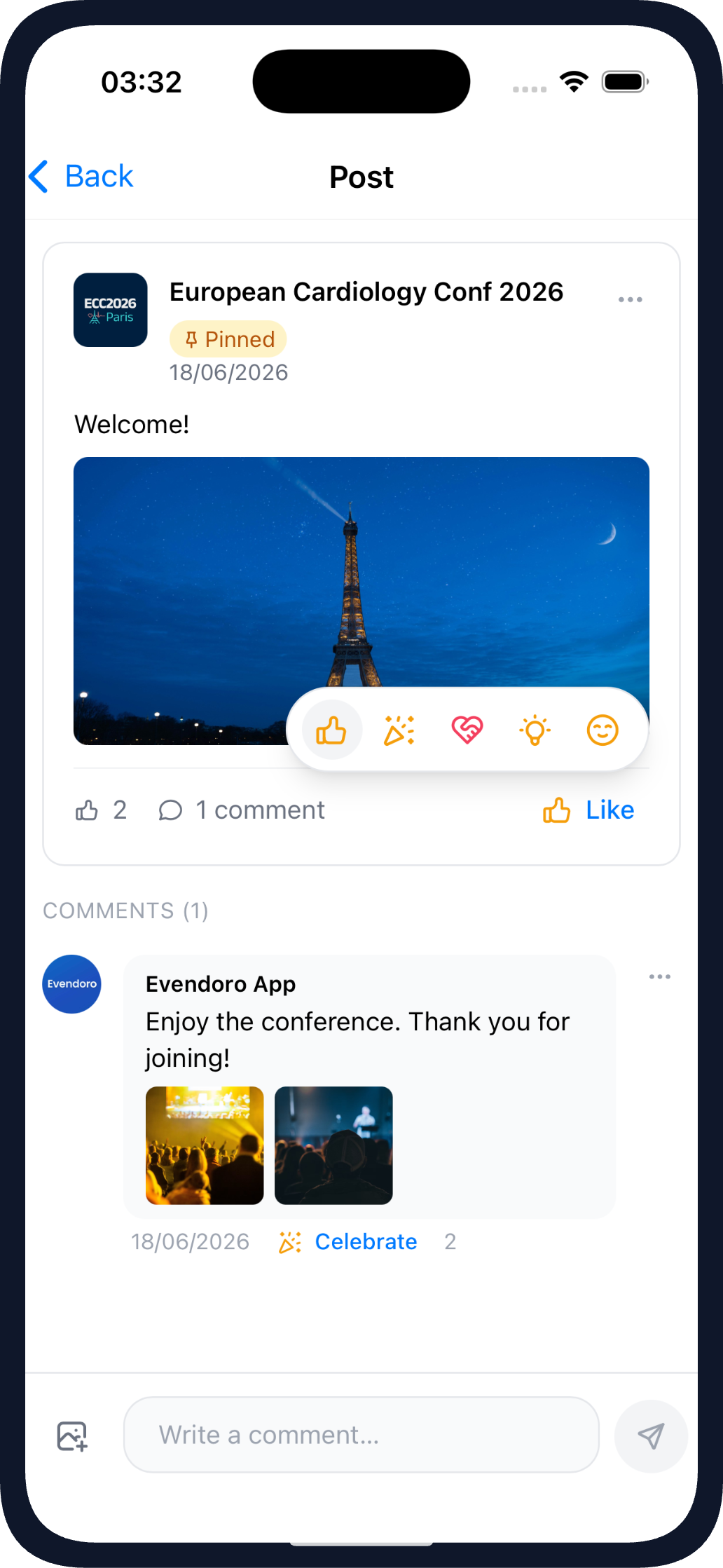
Posting to the Social Wall in the mobile app
Attendees post
Attendees share photos and updates from their phone, right in the event app.
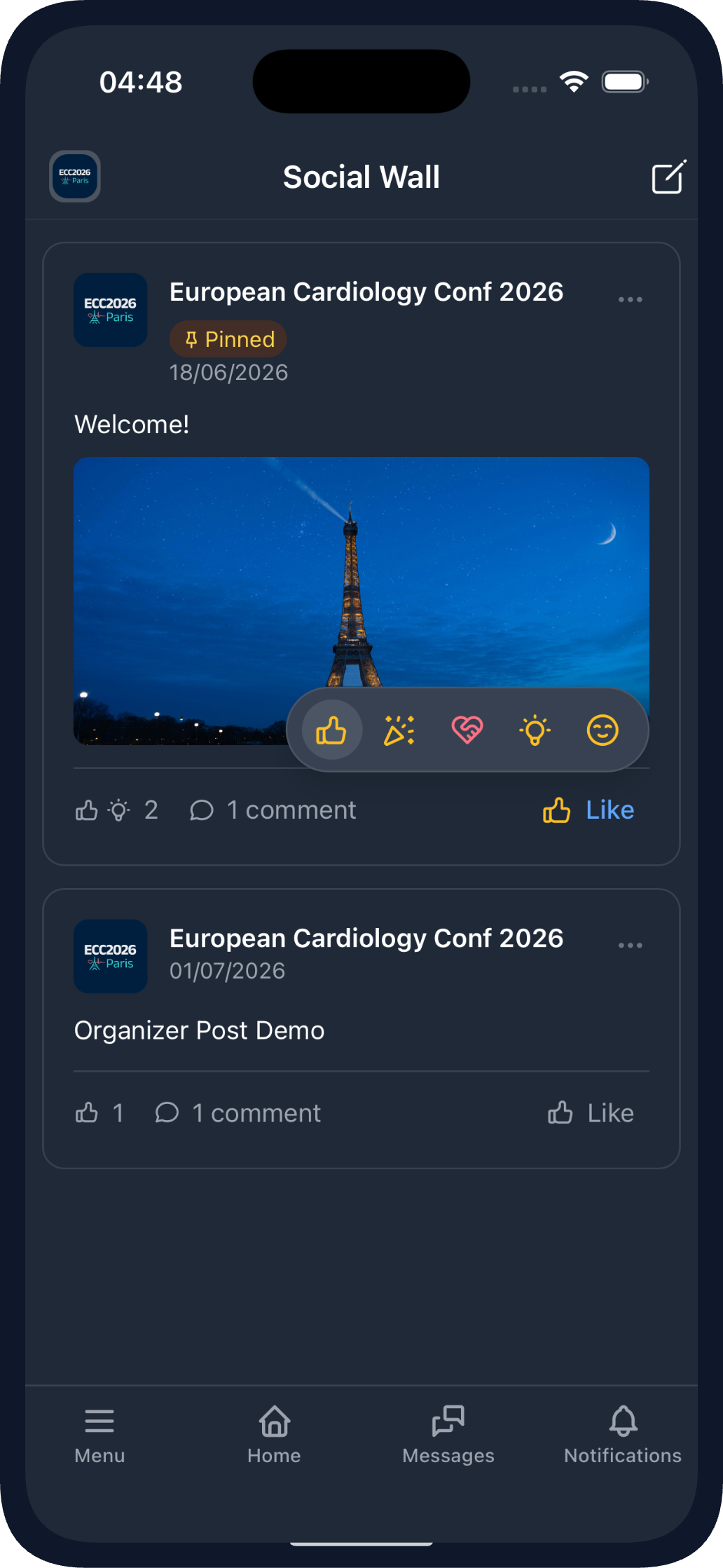
The Social Wall feed in the mobile app
Other attendees react
Other attendees comment and react as the event happens, so posts turn into a conversation.
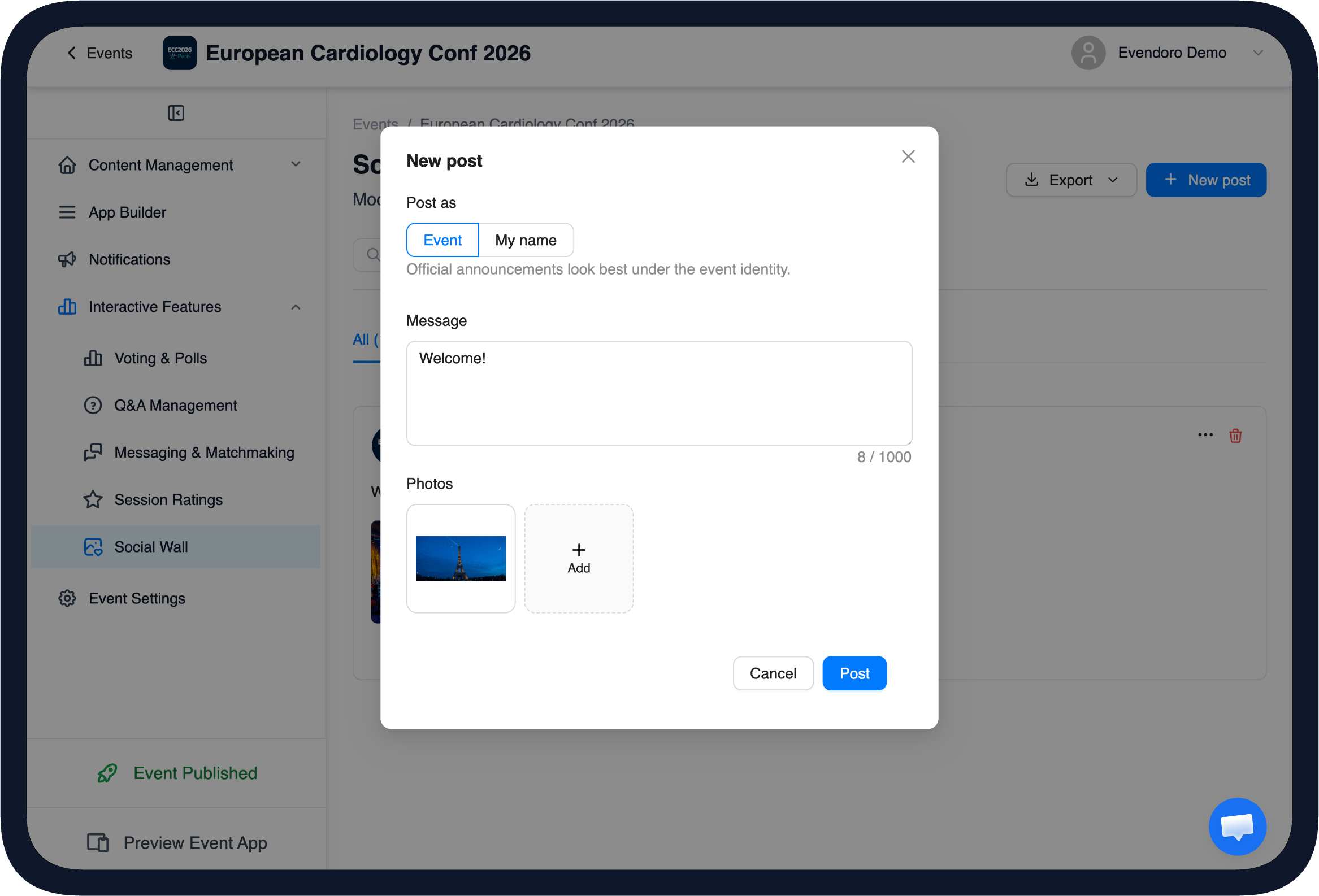
Opening the Social Wall with a welcome post in the CMS
The organiser stays in control
The organiser stays in control from the CMS: open the wall with a welcome post, pin it to the top and approve posts before they are visible in the app.
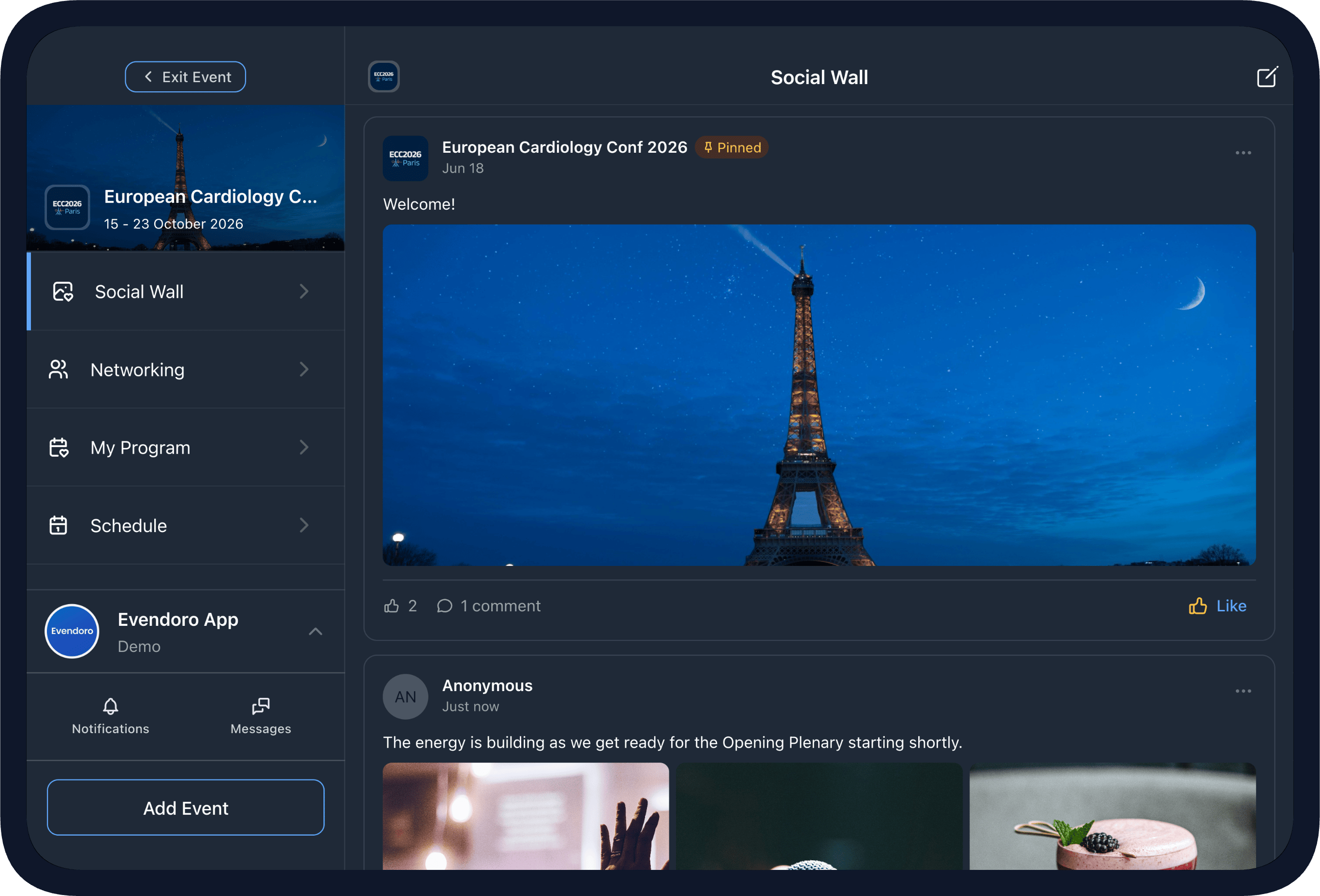
The Social Wall on a tablet
The attendee feed
Attendees post photos and short updates, react and comment - the best moments are shared with your attendees. It works on phone, tablet and the web app.
- Photos, reactions and comments
- Post as yourself, as the organiser, or anonymously (organiser's choice)
- Pin a welcome or announcement post
- Works on phone, tablet and the web app
Every great event moment, shared where everyone can see it.
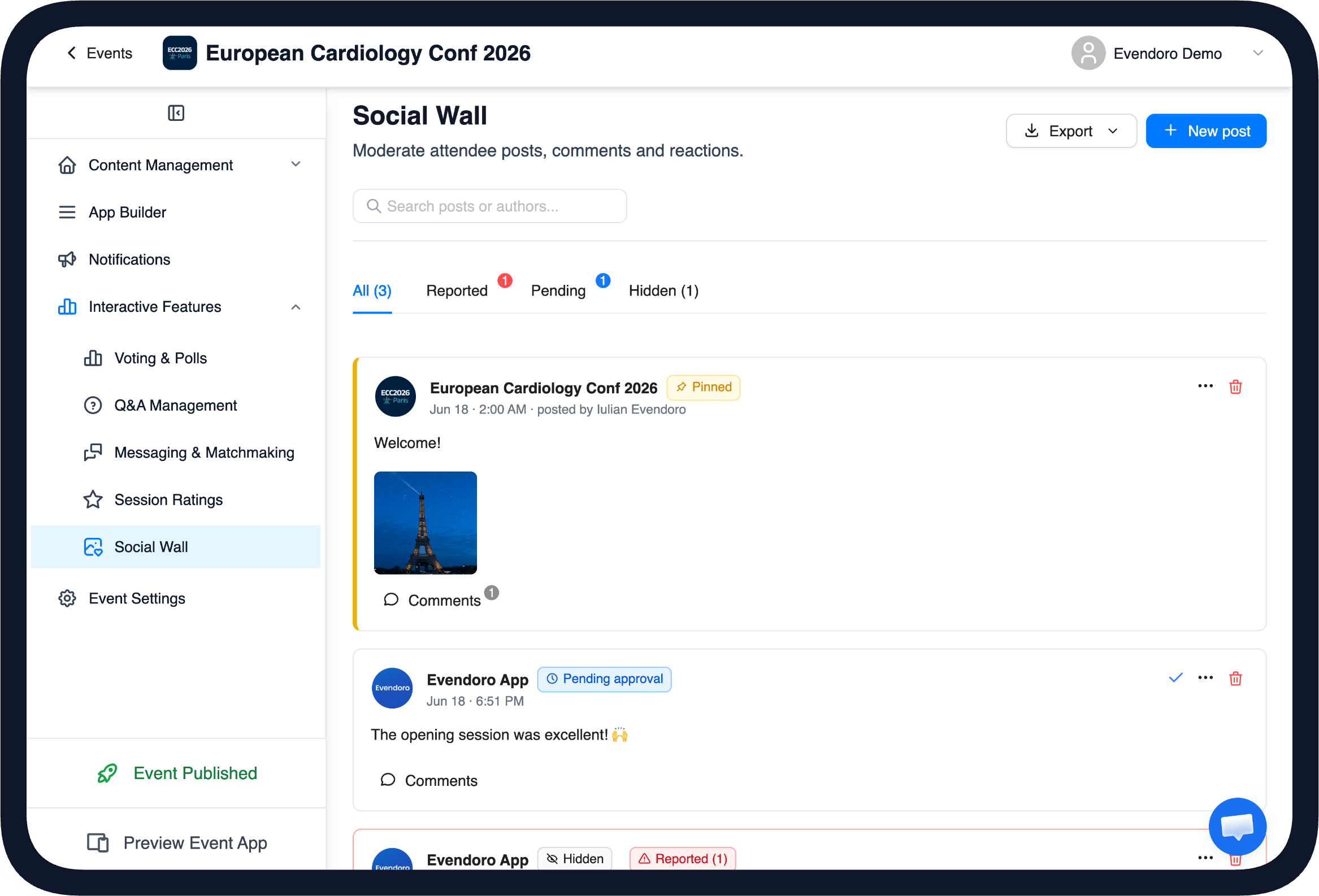
Social Wall moderation in the CMS
Organiser moderation and control
The organiser stays in control from the CMS. Pin the posts that matter, hide anything you would rather not show and approve posts before they are visible in the app when you want to.
- Pin posts, with an optional expiry date
- Hide or remove any post
- Approve posts before they appear, when moderation is enabled
- Attendees can report a post, and the organiser handles it from the CMS
Pin to highlight, approve or hide - managed from the CMS.
Made forprofessional events
Private by default, moderated by choice, and ready for events where content review matters.
Private by default
The Social Wall lives inside your event app, and joining the conversation requires a login. Posts stay with your attendees, and the organiser sets who can see them.
Approve before it appears
Turn on moderation and every post waits for approval before it shows - useful for medical, association and corporate events where content review matters.
Anonymous posting is optional
Let attendees post anonymously so they can share freely, or keep every post named. It is the organiser's choice, per wall.
Take the memories with you
Download the photos and posts after the event, so the moments live on beyond the app.
Built for the events wherethe moments matter
Medical and scientific congresses
A private feed where delegates share the moments, with the content review these events need.
Associations and societies
A moderated feed where members share photos and updates across the event.
Corporate events
Kick-offs, partner days and internal events get one place for the team to share the moments.
Incentive travel
Reward trips are full of great moments, and the Social Wall makes sharing them part of the fun.
Complete event app
The Social Wall is one part of the Evendoro event app. The agenda with personal programmes, live Q&A and polls, AI matchmaking and messaging, registration with QR check-in and push notifications are all explained on the event app features page - all managed from the same CMS.
A special shout-out to Evendoro for their excellent service and for providing such an intuitive and easy-to-use conference app that helped keep everything running smoothly throughout the event.
EBSA - European Biosafety Association
EBSA 2026 Conference·372 Attendees·4 Days
Bruges, Belgium
See on LinkedInFrequently Asked Questions
No - attendees post from inside the event app with their event login. No separate account is needed.
Yes. When moderation is enabled, posts wait for the organiser to approve them before they are visible in the app.
It is private by default - only your event's attendees see it. The organiser decides the visibility and can change it in the settings.
Anonymous posting is optional - the organiser decides whether to allow it. Even for anonymous posts, the organiser can still hide or remove a post from the CMS.
Yes - organisers can download the photos and posts after the event.
Give your attendees a Social Wall
Create your event in the CMS at no cost, add a Social Wall and see how it works - you pay when you publish.
Last updated: 2026-08-19