
Event Agenda AppAn interactive multi-track schedule with sub-sessions
Give attendees an interactive schedule to filter and bookmark, then build their personal My Program in their own timezone and language.
Associations · Medical Congresses · Corporate Events · Incentive Travel · PCOs & Agencies · MICE
What is anevent agenda app?
An event agenda app is an interactive schedule attendees browse on mobile and web. They search and filter a multi-track schedule, see speakers, locations and session details, and build their personal agenda of the sessions that matter to them.
The organiser keeps one schedule in the CMS, and changes reach attendees automatically, in their own timezone and language.
From programme topersonal programme
From the CMS to your attendees' phones - in three steps.
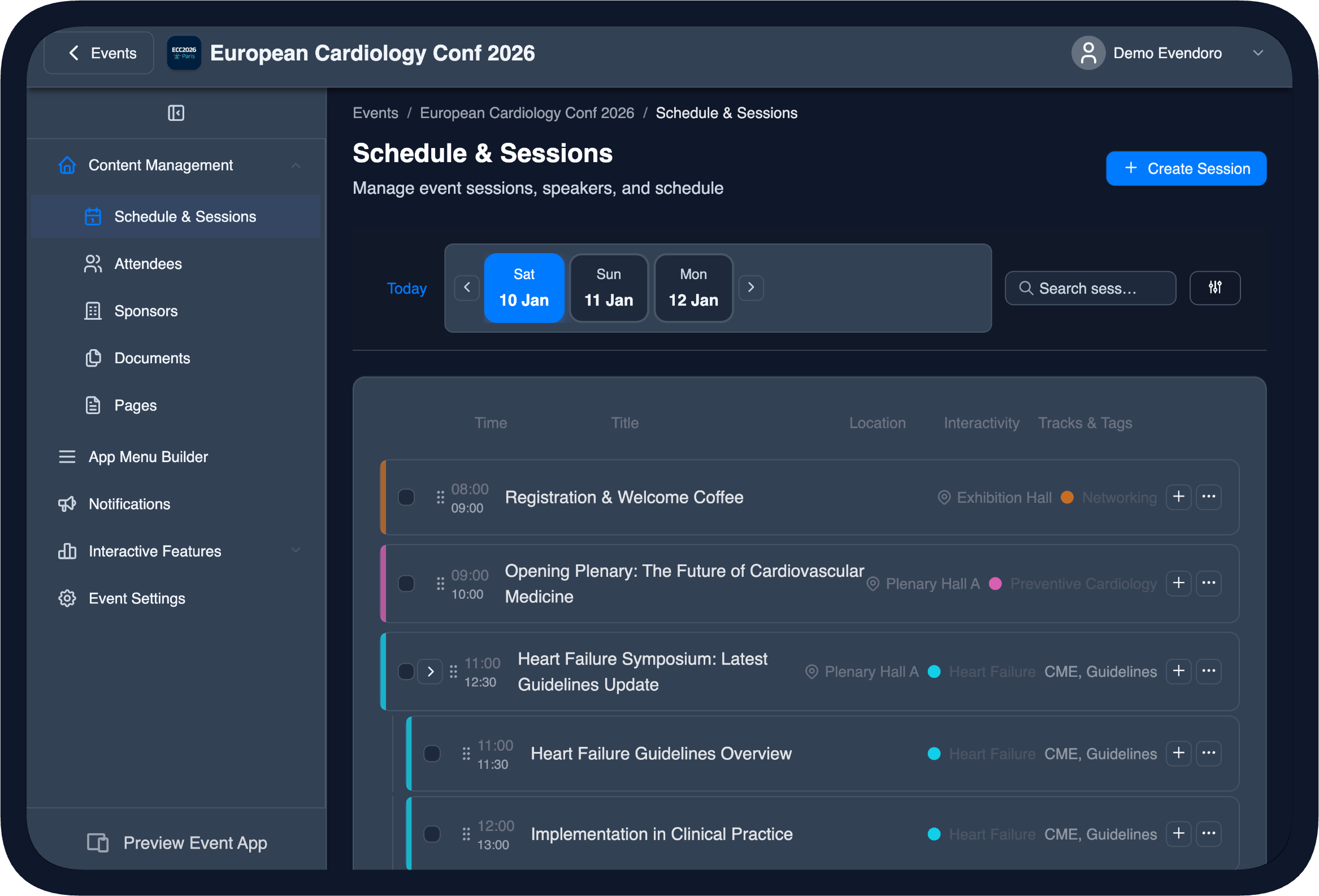
Schedule and sessions in the CMS
You build the schedule
Add sessions, tracks, locations and speakers in the CMS, or import your programme from a spreadsheet (CSV or Excel).
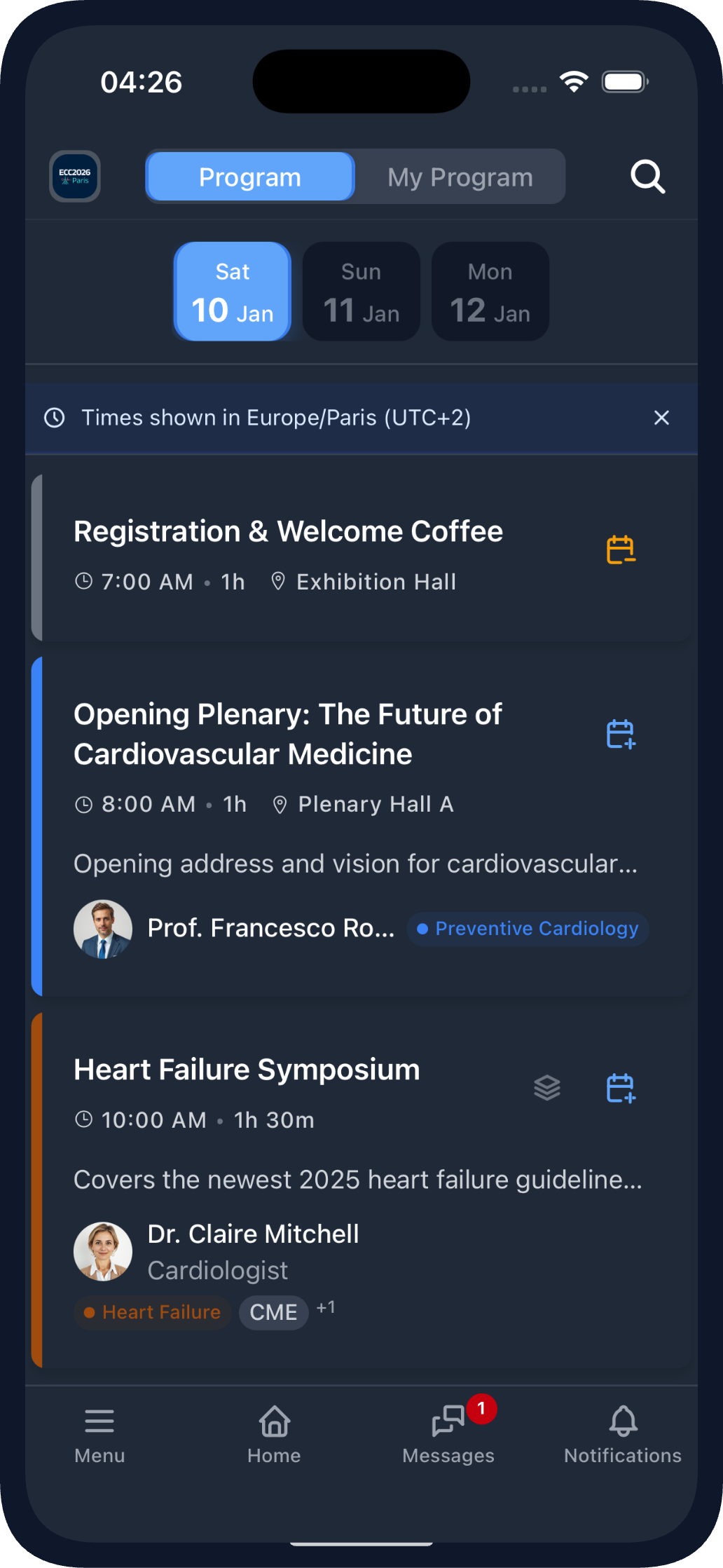
The schedule in the mobile app
Attendees browse and filter
Attendees open the schedule on mobile or web, filter or search, then open a session to see the speakers and details.
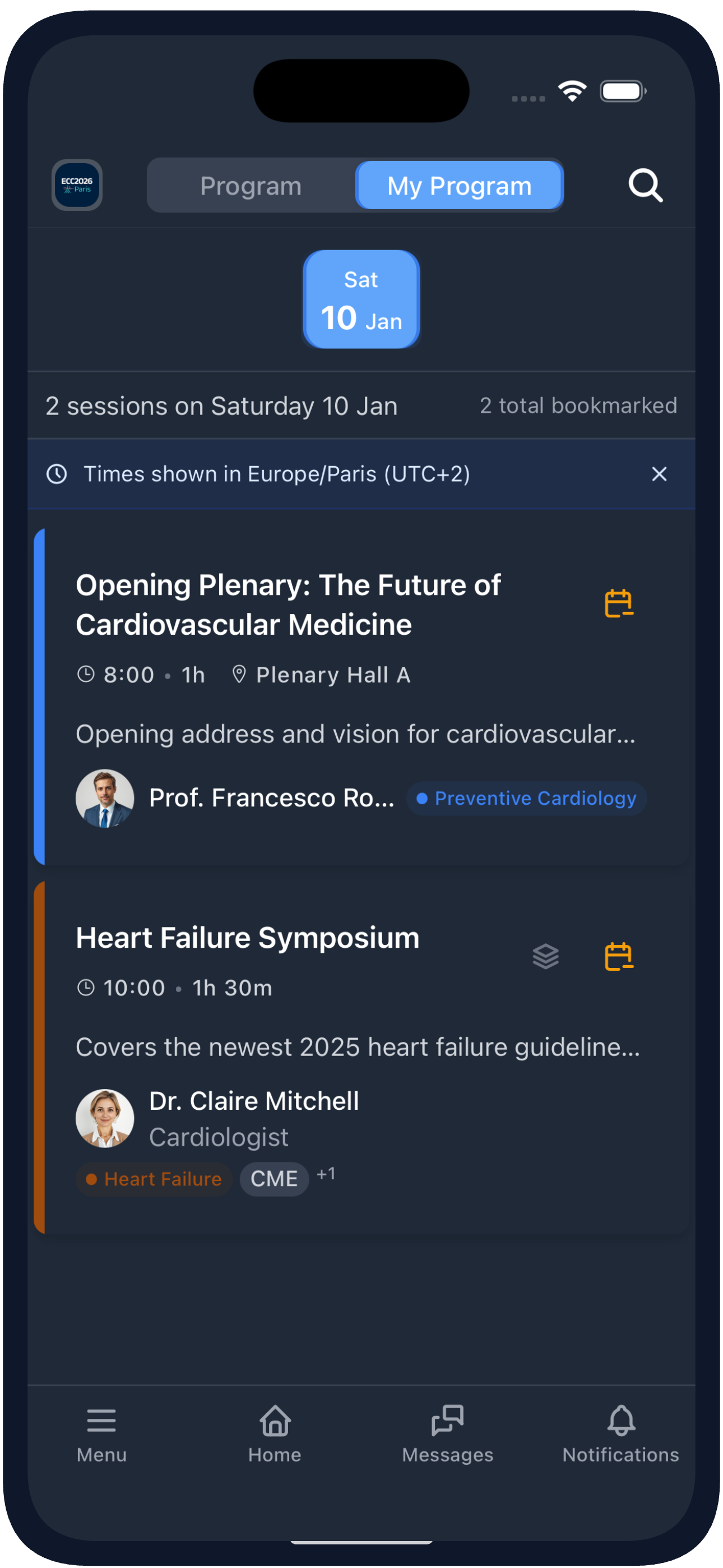
My Program in the mobile app
They build their personal My Program
Attendees save their favourite sessions into their personal My Program, and any change you make in the CMS is synced to them in the app automatically.
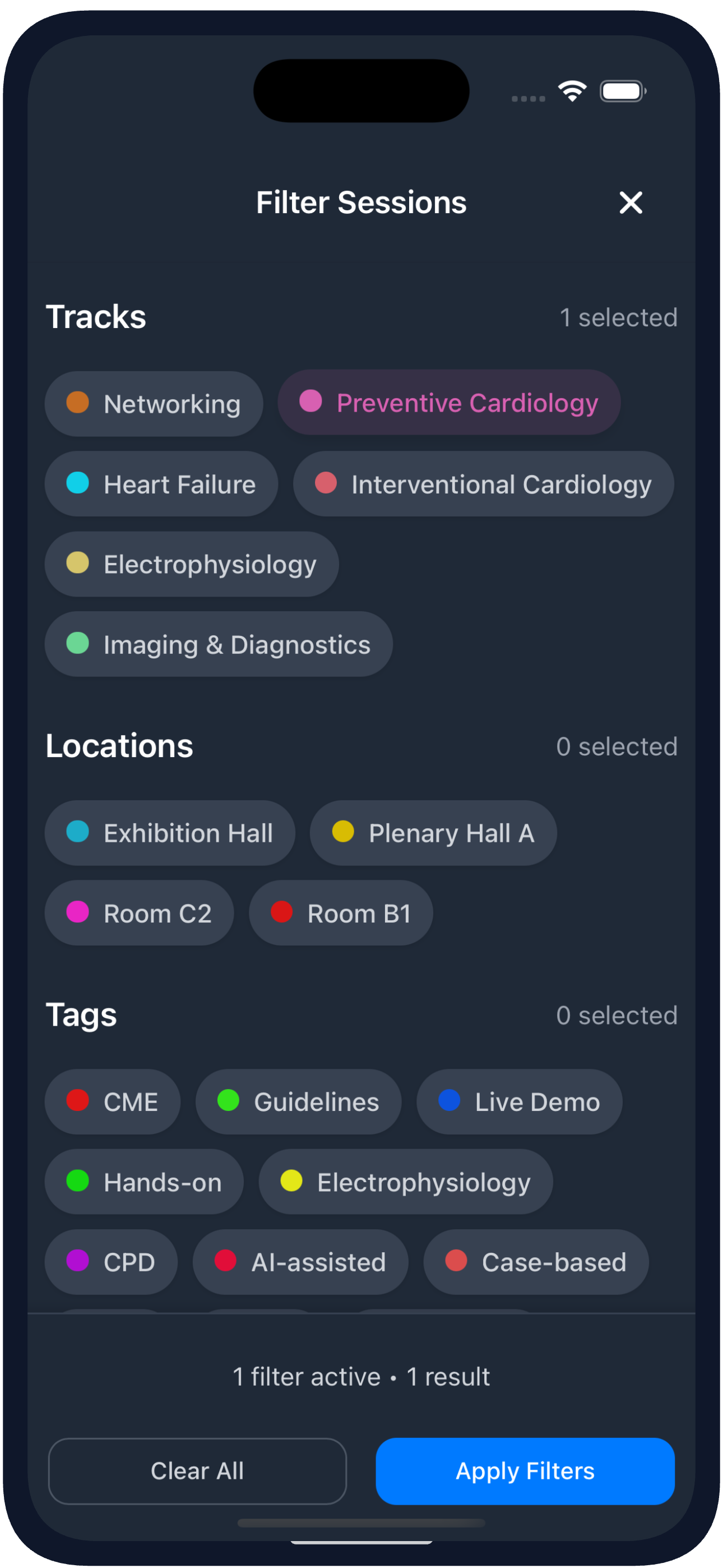
Filtering the schedule in the mobile app
The interactive schedule
The schedule handles your professional conference programme: parallel tracks, sub-sessions, tags, locations and poster sessions. Attendees filter by track, location or tag, search for a session and open it to see the full details.
- Multi-track and parallel sessions
- Sub-sessions within a larger session
- Tracks, tags and locations
- Poster sessions and speaker details
- Search, filter and bookmark
- On iPhone, iPad, Android, tablet and web
Complex conference programmes, made easy for your attendees.
My Program in the mobile app
My Program - a personal agenda for your attendees
Attendees bookmark their favourite sessions into their personal My Program. Any update you make in the CMS is synced to them in the app automatically.
- Bookmark sessions into their personal My Program
- CMS changes sync automatically in the app
A personal agenda for your attendees, synced automatically in the app.
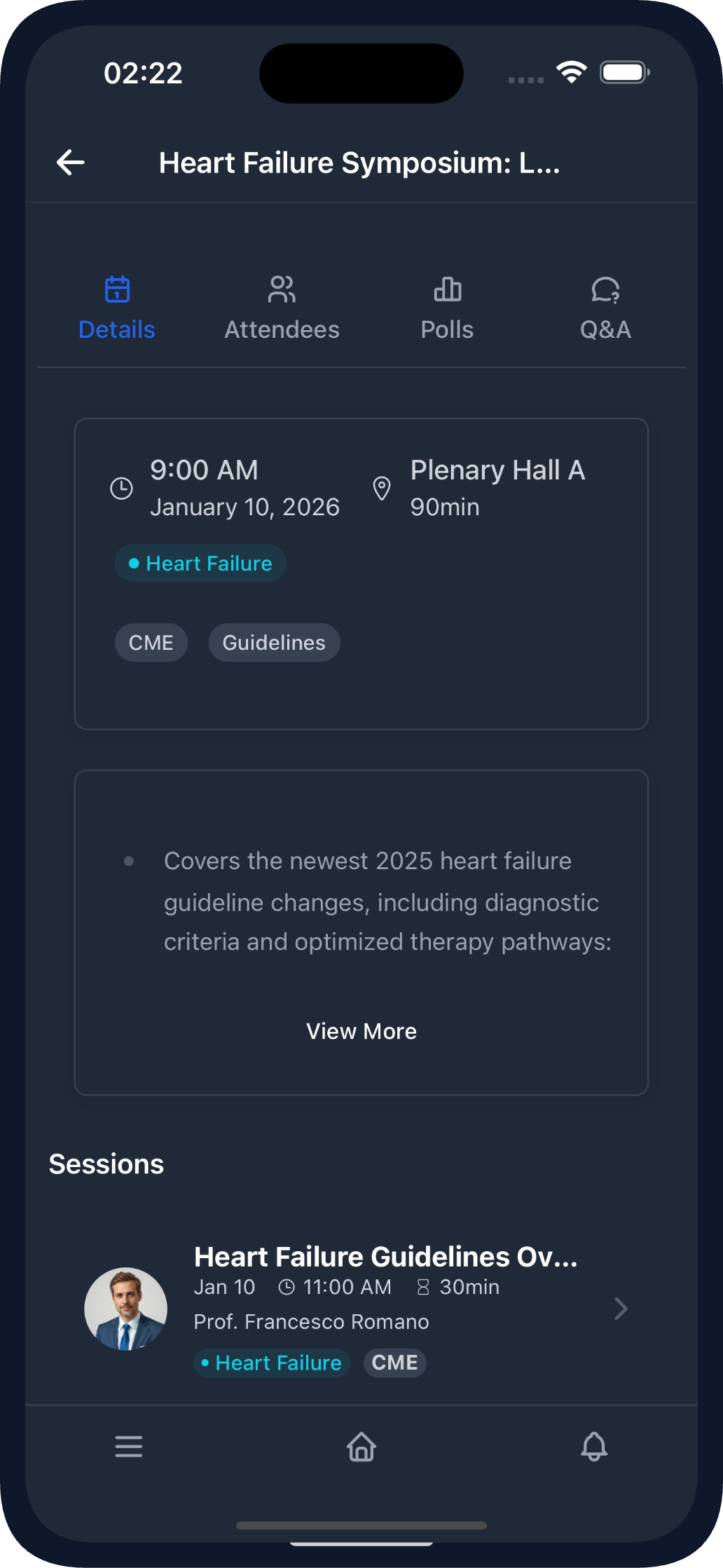
A session page in the mobile app
Inside a session
Every session has its own page: the description, the speakers and any documents attached to it. When the organiser turns them on, a session can also have live Q&A, live polls and a session rating.
- Speakers, description and session documents
- Live Q&A and live polls
- Session ratings for attendee feedback
Live Q&A, polls and session ratings are presented on the event app features page.
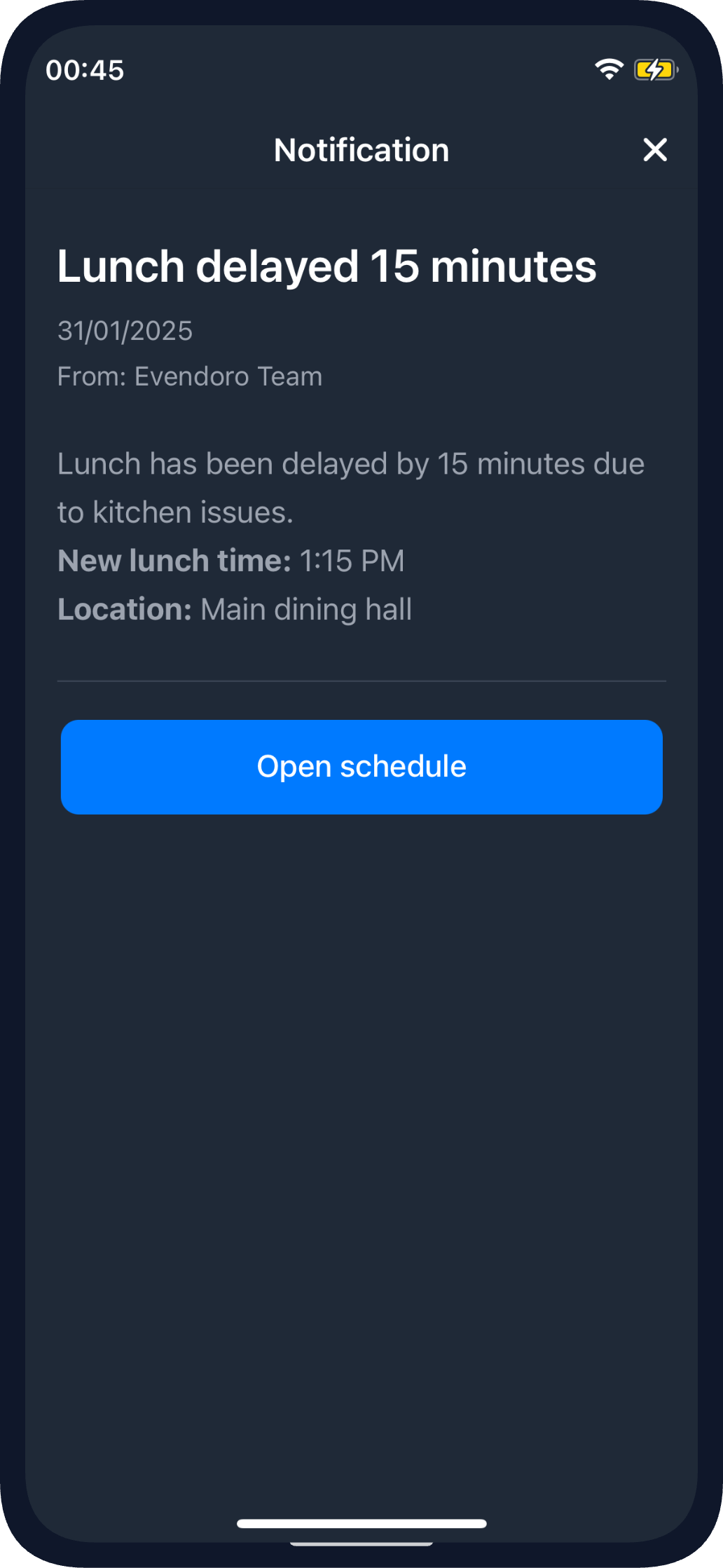
A session push reminder in the mobile app
Last minute schedule update?
When you move a session or change a room, the schedule updates in the CMS and syncs to every attendee automatically. For the important changes, send a push notification reminder with a button that opens the session straight from the notification.
- Schedule changes sync to attendees automatically
- Send a push notification reminder for an important change
A room change reaches every attendee's app before the session starts.
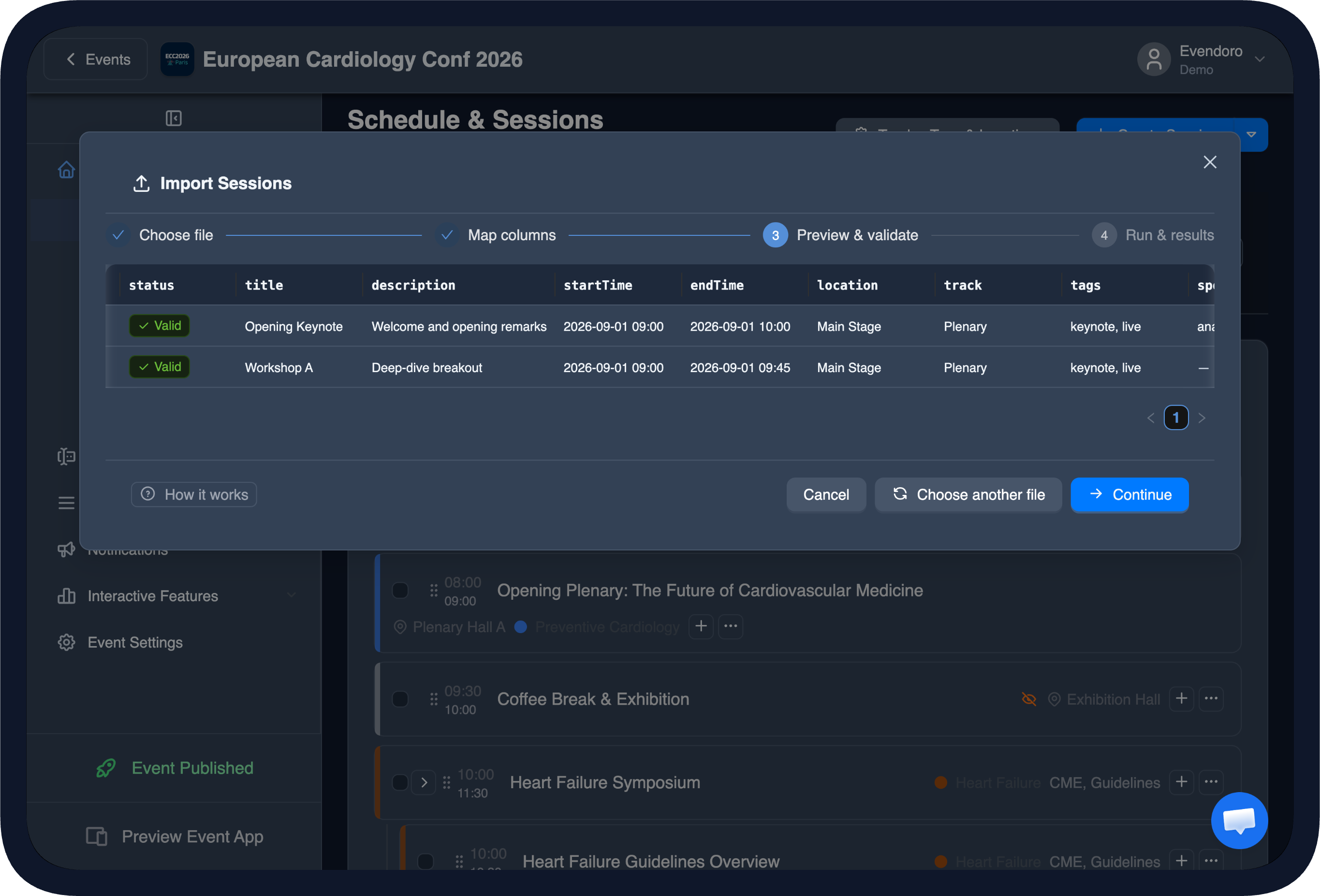
Schedule import preview in the CMS
Import your schedule
Already have your programme in a spreadsheet? Import it from CSV or Excel, including sub-sessions, tracks, locations and speakers. Map your columns, review what will be created or updated, then import.
- Import your programme from CSV or Excel
- Parallel tracks and sub-sessions supported
- Tracks, locations, tags and speakers created automatically
- Map your columns and preview before you import
- Re-import to update the schedule
Import and update your whole schedule from one spreadsheet.
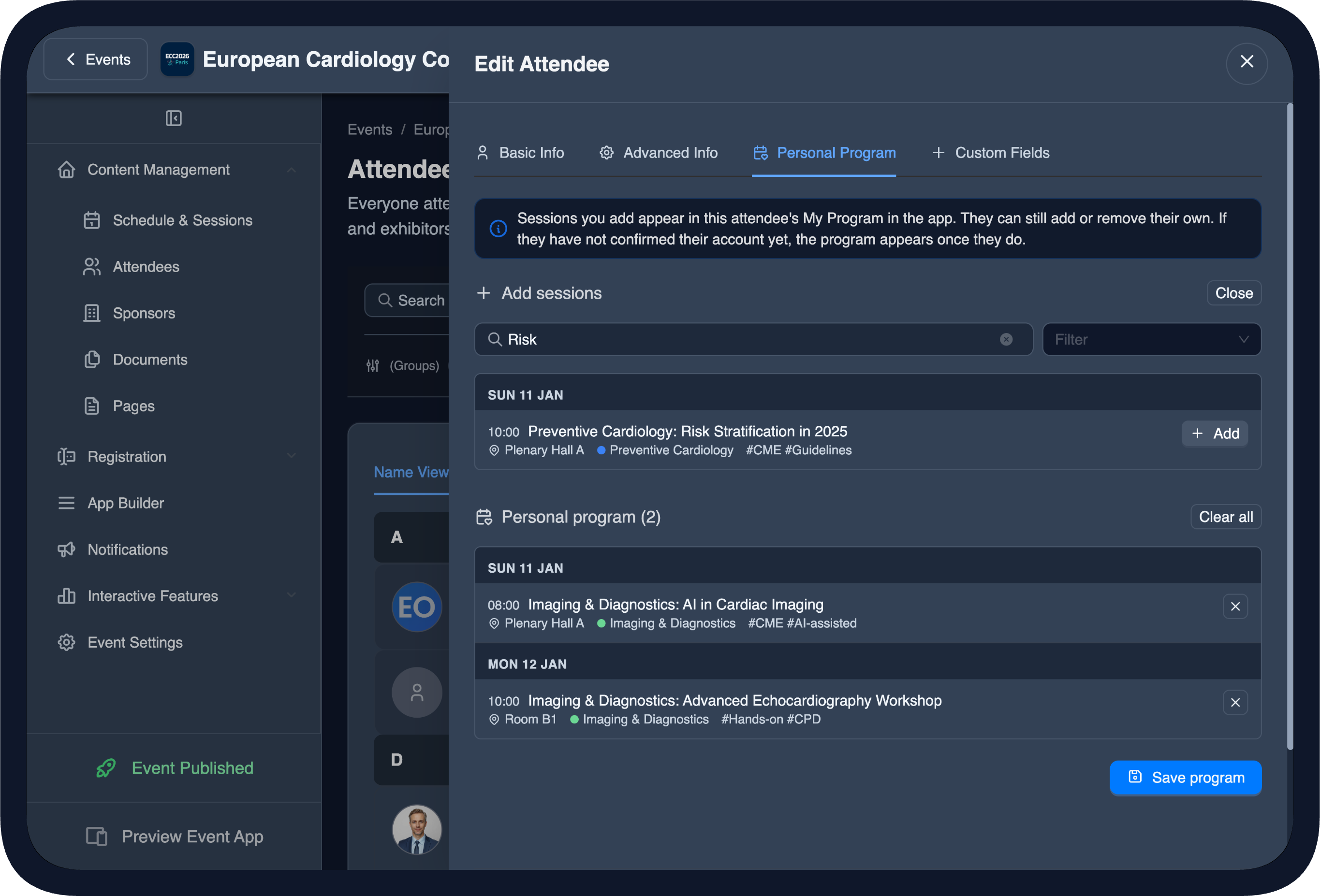
Setting My Program for attendees in the CMS
Set My Program for your attendees
You can set the personal My Program for your attendees. Choose the sessions yourself, or upload a spreadsheet with a different agenda per person. Do it for one attendee, several, or groups. It works even before they confirm their account: the agenda is shown to them the moment they join.
- Set the agenda for one attendee, several or groups
- Choose individual sessions, or add all sessions in a track, location or tag
- Or upload a spreadsheet with a per-person agenda
- Attendees can still manage their own My Program
Speakers, VIPs and delegates open the app to an agenda already built for them.
Their own timezoneand language
The schedule, localised for your audience. You choose whether times show in the event's timezone or each attendee's own timezone, and the app adjusts language, dates and times to each attendee automatically.
Event or device timezone
Show session times in the event's timezone or in each attendee's own timezone. When an attendee's timezone differs, the app shows a time banner for clarity.
12 or 24-hour time format
The app adjusts times to each attendee's language and region automatically, and an organiser can set a 12 or 24-hour clock for everyone.
In their own language
The app, its dates and its times adjust automatically to the attendee's language and region, so the programme reads naturally wherever they are joining from.
Built to handlecomplex conference programmes
Medical and scientific congresses
Multi-day programmes with poster sessions, parallel tracks, speakers and sub-sessions.
Associations and societies
Annual meetings where members follow a complex programme and choose the sessions that fit their professional interest.
Corporate events
Conferences, partner days and internal events, where the programme is often set for attendees in advance.
Summits and forums
Summits and forums with parallel tracks and sub-sessions, still easy to navigate.
Complete event app
The event agenda is one part of the Evendoro event app. Live Q&A and polls, AI matchmaking and messaging, a social wall, registration with QR check-in and push notifications are all explained on the event app features page - all managed from the same CMS.
A special shout-out to Evendoro for their excellent service and for providing such an intuitive and easy-to-use conference app that helped keep everything running smoothly throughout the event.
EBSA - European Biosafety Association
EBSA 2026 Conference·372 Attendees·4 Days
Bruges, Belgium
See on LinkedInFrequently Asked Questions
Yes. Attendees bookmark sessions into their My Program - their own agenda for the event - and add or remove sessions any time.
Yes. The schedule supports parallel tracks and sub-sessions (a larger session with sessions inside it), plus tags and locations to filter by, and it also handles poster sessions.
Changes you make in the CMS sync to every attendee in the app automatically. For an important change, an organiser can also send a push notification reminder with a button that opens the session.
Yes. You choose whether times show in the event's timezone or each attendee's own timezone, and the app shows a banner when an attendee's timezone differs.
Yes. The app, its dates and its times adjust automatically to the attendee's language and region, and an organiser can set a 12 or 24-hour clock for everyone or leave it automatic.
Build your event agenda
Create your event in the CMS at no cost, build your schedule, set the personal programs and see how it works - you pay when you publish.
Last updated: 2026-08-22